
Best Fast Chargers for Multiple Devices Tested
Last Updated: November 3, 2026
Quick Summary
The best fast chargers for multiple devices are multi-port desktop stations with a clear total output, since power is divided across ports. Ten-port and six-port stations suit a fixed desk, while compact multi-port wall chargers suit travel. Check the per-port output and the protocols your devices support before you buy.
- Total wattage matters more than port count, because power is divided across ports.
- Desktop stations suit homes and offices; compact wall chargers suit travel.
- Wireless stations are useful for accessories but usually deliver less power per device.
- Check that the charger supports the fast-charging protocol your phone uses.
- Read the port-combination table, since a 100W headline may drop when phones connect.
Table of Contents
- Best Fast Chargers for Multiple Devices at a Glance
- How We Evaluated These Chargers
- Best Fast Charging Station for Multiple Devices
- Best Fast Chargers for Multiple Devices with iPhone
- Best Fast Chargers for Multiple Devices with Samsung
- What Simultaneous Charging Really Delivers
- Power Sharing, Thermal Limits and Safety
- How to Choose a Multi-Device Fast Charger
- Choosing Your Multi-Device Charger and Shopping Bluebox Wireless
- Frequently Asked Questions
Best Fast Chargers for Multiple Devices at a Glance
Bluebox Wireless has compiled this guide to help you find the best fast chargers for multiple devices, and the short answer depends on how many devices you charge at once and where you charge them. A single phone charger rarely keeps up when a laptop, tablet and earbuds all need power at the same time, so the real question is total output and how it is shared across ports.
Quick Picks:
- Best for a busy desk: a multi-port wired station rated around 100W, such as the UGREEN 100W 6-Port Desktop Charger
- Best for maximum port count: the SIIG 90W 10-Port USB Station, recommended by TechGearLab for charging more than six devices
- Best budget option: the Soopii Quick Charge 3.0 station, described as affordable for several electronics
TL;DR:
- Total wattage matters more than port count, because power is divided across ports
- Desktop stations suit homes and offices; compact wall chargers suit travel
- Wireless stations are useful for accessories but usually deliver less power per device
- Check that the charger supports the fast-charging protocol your phone uses
How We Evaluated These Chargers
Our evaluation focused on four practical questions. How many devices can it charge at once? How is the rated output divided? Which fast-charging standards does it support? Is it suited to a desk or to travel? We also looked for the limits each product’s documentation admits to, since those matter as much as the headline numbers.
Best Fast Charging Station for Multiple Devices
A charging station is the most practical answer when several devices sit in one place. Many people expect a single high-wattage port to do the job, but a station with multiple ports and a clear total output tends to serve a household or desk better.
Ten-Port and Six-Port Desktop Stations
For a fixed desk, the highest port counts are the most useful.
Port count alone does not tell you much. Ten ports sharing 90W give each device less power than six ports sharing 100W, so check the total output before buying.
Compact Multi-Port Wall Chargers
For travel or a small bag, a compact wall charger is easier to carry.
The trade-off is size against output. Compact chargers are convenient, but they run out of headroom sooner when several high-draw devices connect together.
The table below summarises the two station styles covered in this section.
| Station type | Best for | Key difference |
|---|---|---|
| Ten-port and six-port desktop stations | A fixed desk | Port count alone does not show power per device |
| Compact multi-port wall chargers | Travel or a small bag | Less output headroom with several high-draw devices |
Best Fast Chargers for Multiple Devices with iPhone
iPhones use USB-C fast charging on recent models, so a charger with USB-C Power Delivery ports is the safest choice. Look for a USB-C port that explicitly lists Power Delivery support, and confirm the cable is rated for the wattage you need.
Best Fast Chargers for Multiple Devices with Samsung
Samsung’s fast charging is where multi-device charger shopping gets genuinely complicated, because the phone’s top speed depends on the protocol the charger and cable support together, not just on wattage. The practical approach is to build a small compatibility check around your specific Samsung model before you buy a station.
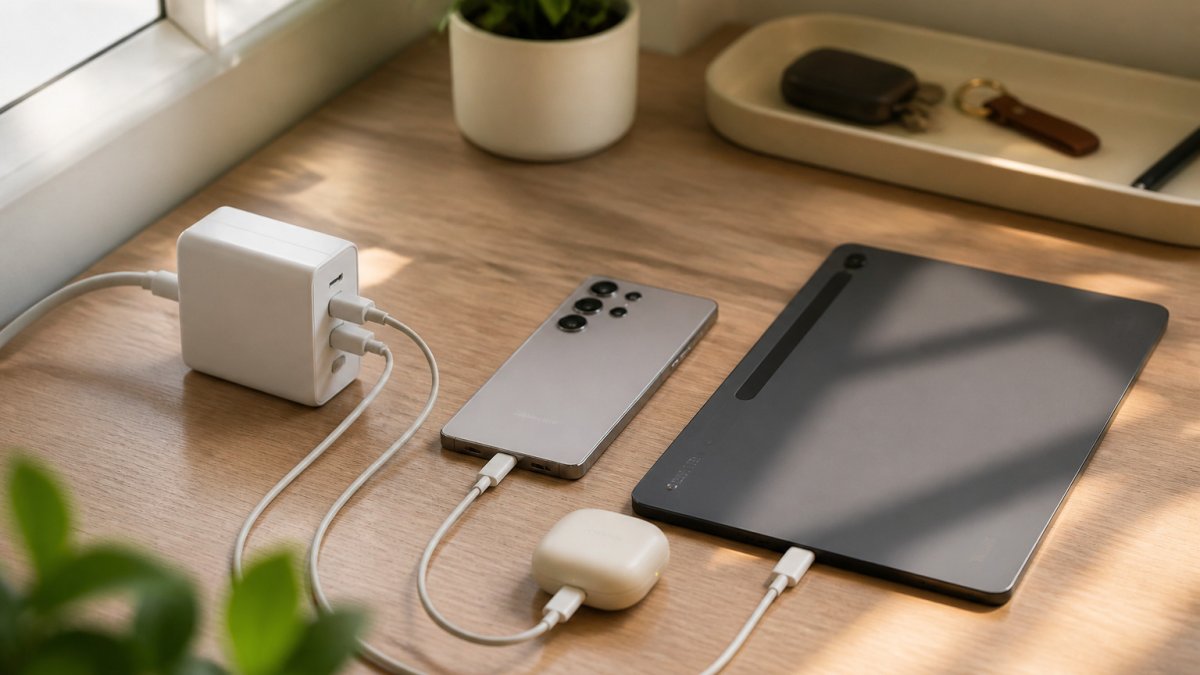
Samsung phones have used several fast-charging standards across generations. A charger that lists USB Power Delivery but not PPS will still charge a recent Galaxy phone, but it may not reach that phone’s highest supported wattage. A charger that lists Quick Charge or Adaptive Fast Charging alongside USB Power Delivery covers a wider spread of Samsung models,
A simple compatibility matrix helps here. For each device you own, note three things: the charging protocol it supports, the port type it uses, and the cable it needs. Then match those against the charger’s port list. A recent Galaxy phone needs a USB-C port with USB Power Delivery and, for top speed, PPS, plus a USB-C-to-USB-C cable rated for the wattage. An older Galaxy model may fast-charge from a Quick Charge USB-A port with a USB-A-to-USB-C cable. A Galaxy tablet or laptop generally wants a USB-C Power Delivery port with enough per-port wattage to run it, which is a different requirement from the phone.
That matrix is also where multi-device chargers earn or lose their place. A station with several USB-C Power Delivery ports and at least one Quick Charge USB-A port can serve a mixed household of recent and older Samsung devices at once. A station with only USB-A Quick Charge ports will fast-charge older phones but leave a recent Galaxy phone and any USB-C tablet charging more slowly.
Check your specific model’s charging specification before buying, because a charger that supports the protocol will still charge slower if the cable or port does not match. The phone’s own specification sheet or the manufacturer’s support page is the reliable source for which protocol and wattage your model accepts.
Watch out: buying a charger for its total wattage alone can leave a recent Galaxy phone below its top speed if the USB-C port does not support PPS and the cable is not rated for the wattage.
What Simultaneous Charging Really Delivers
The headline wattage on a multi-device charger is a ceiling, not a promise. When you plug in a second or third device, the charger’s internal controller reallocates the fixed power budget across ports according to a priority scheme the manufacturer sets. That is why a 100W six-port station can charge one laptop at close to full speed on its own, then drop that laptop to a lower wattage the moment two phones are added.
A common pattern in multi-port USB-C chargers is port priority by position. The first USB-C port is often the “primary” port and keeps the highest available wattage, while secondary ports share what remains. On many 100W-class chargers, the primary USB-C port can hold a laptop-friendly output when used alone, but once a second USB-C device connects, the budget is split and each port falls to a lower tier. USB-A ports usually sit at the bottom of the priority order and receive the smallest share.
To see what a charger will actually do, read the port-combination table in its manual or product page rather than the single “100W” headline. Manufacturers typically publish rows such as “1 x USB-C = 100W,” “2 x USB-C = 65W + 30W,” and “2 x USB-C + 2 x USB-A = 45W + 30W + 12W + 12W.” Those rows are the real specification for multi-device use. If a listing shows only a total wattage and no per-port breakdown, treat the per-device numbers as unknown.
Cables are part of the power path, not an accessory. A USB-C cable rated for 60W will cap a 100W port at 60W, and a USB-A-to-USB-C cable generally cannot carry USB Power Delivery at all, so it will charge a phone slowly no matter how capable the charger is. Match the cable’s rated wattage to the port you intend to use for a laptop.
A repeatable way to check a charger with your own devices: plug in the highest-draw device alone and note how fast it charges, then add your other devices one at a time and watch whether the first device’s charging indicator or on-screen estimate changes. Most phones and laptops report an estimated time to full, and a jump in that estimate after adding a device is the visible sign of power being reallocated. Do this before you rely on a station for a time-sensitive charge, because published per-port figures under simultaneous load are rare and the behavior varies by model.
Watch out: a charger marketed at a high total wattage can still leave your laptop on a slow trickle once phones are connected, so confirm the per-port output for the exact combination of devices you plan to plug in.
Power Sharing, Thermal Limits and Safety
Charging several devices at once generates heat, especially at high wattage. Chargers with overcurrent and overvoltage protection and temperature control handle this more safely. Avoid covering a station, place it on a hard, ventilated surface, and do not leave it in a hot car.
Watch out: buying the highest total wattage without checking per-port output can leave your laptop charging slowly once phones are connected.
How to Choose a Multi-Device Fast Charger
Start with the devices you charge most often and add up their typical draw. Then choose a charger whose total rated output exceeds that sum with some margin. Decide whether you need desktop or travel use, and confirm the protocols your phones and laptops support.
Pricing depends on the model and retailer, so check the current price and specification on the Bluebox Wireless website before you buy. Compare the listed price with the total output and port count, and check the manufacturer’s current specification before you buy.
Choosing Your Multi-Device Charger and Shopping Bluebox Wireless
The right charger depends on your devices, your space and whether you travel. For a desk with several phones and a laptop, a multi-port station with a clear total output is the most practical choice. For travel, a compact wall charger covers the essentials.
Bluebox Wireless offers phone cases, fast chargers and power banks, plus free shipping on orders over $50. Browse the range at blueboxwireless.com to see what is available now.
Frequently Asked Questions
What is the best charger for charging multiple devices at once?
The best choice depends on how many devices you charge and where. For a desk with several cable-charged devices, a multi-port desktop station with a high total wattage works well. Check the total output and whether the port count fits your devices, since a high port count alone does not guarantee fast charging on every port.
Does a multi-port charger split power between connected devices?
Yes. A charger has a fixed total output, and when several devices draw power at once, that output is divided among the ports. A 100W charger shared by a laptop and two phones gives each device less than its maximum speed. Per-port output is the figure to check if you need a specific device to charge quickly while others are connected. Manufacturers do not always publish how power is allocated, so look for that detail before buying.
Are charging stations faster than multi-port wall chargers?
Not automatically. A charging station and a multi-port wall charger can share the same underlying power, and speed depends on total wattage and how many ports are in use. Stations usually offer more ports and suit a desk or shared space. Compact multi-port wall chargers are easier to carry. Compare the total output and per-port speed of each, not the category name.
How many watts do you need to fast-charge multiple devices?
Add up the wattage each device can accept at its fastest, then choose a charger with a total output at or above that sum for the devices you charge together. For example, a laptop, a phone and earbuds can need well over 60W if all three charge at full speed. If your devices rarely charge simultaneously, a lower total output is usually enough, but total output still sets the ceiling.